
Popular topics

Popular topics

AltStore PAL Installation Guide
By: WEEX
|
0
This guide is intended for iOS users in Japan.
Step I: Install AltStore PAL
- On your iPhone, open Safari and visit altstore.io
Scroll to the bottom of the page and click "Download".
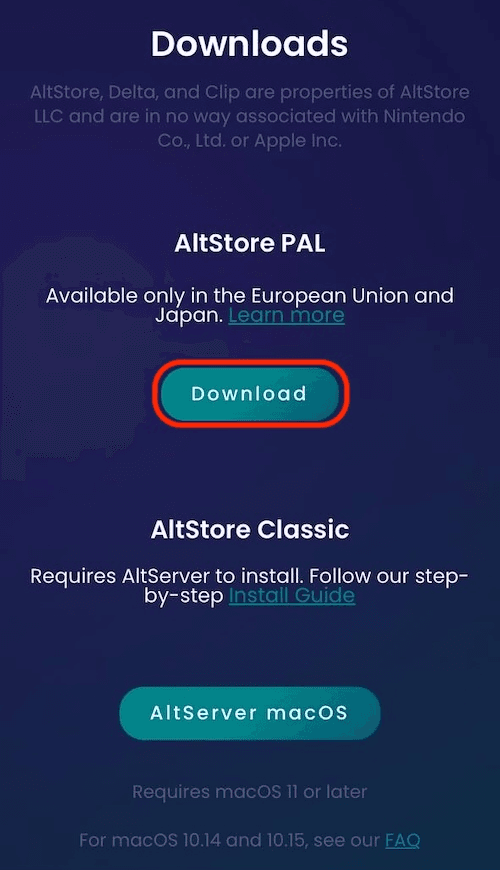
- If a security prompt appears, go to "Settings" → "Allow apps from AltStore" to authorize it.
Return to Safari and install again. AltStore will appear on your home screen.
Step II: Install WEEX
After installing AltStore, follow the steps below to install the WEEX app:
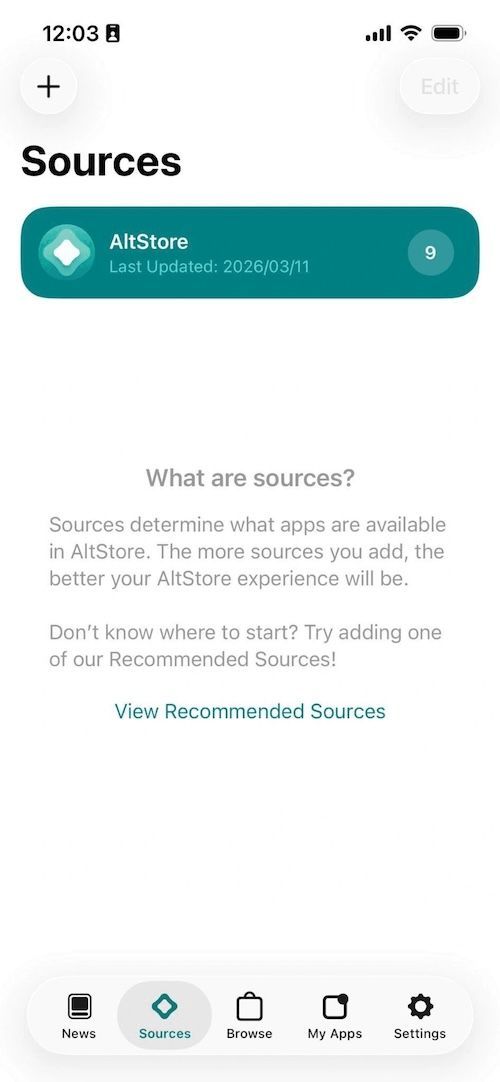
1. Tap the "+" button and enter the source URL: https://apk.wxio.site/PALSource02.json
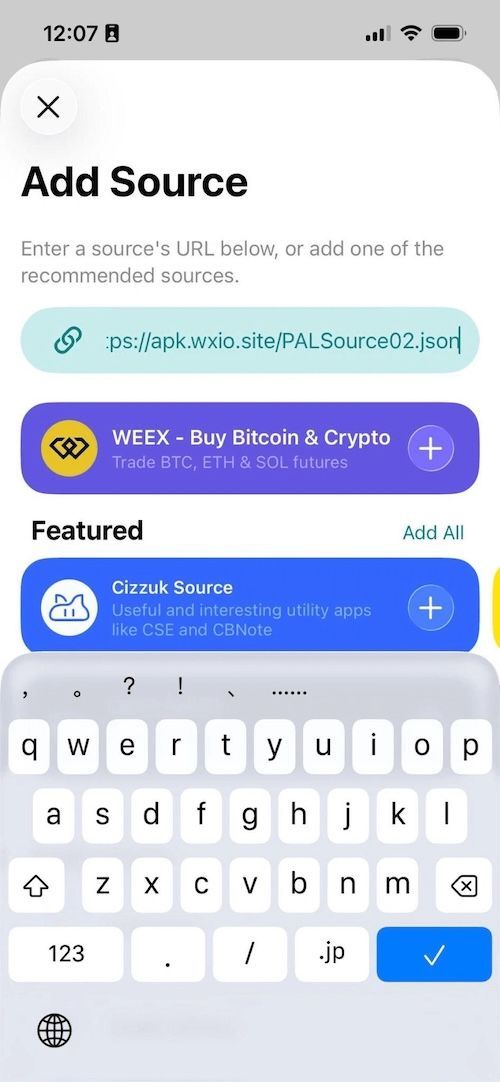
2. Once entered, the WEEX app will be detected. Tap the "+" icon on the right to add it. A popup will then appear.
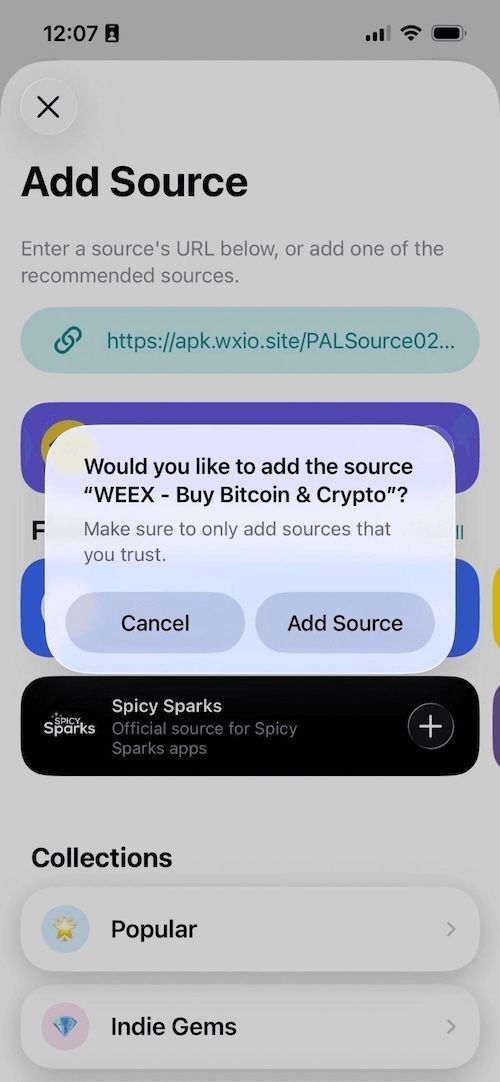
3. Tap "Add Source" to go to the app details page, then tap "FREE" to install.

4. Once installation is complete, tap "OPEN" to start.

Related articles
Share
Gainers


Customer Support:@weikecs
Business Cooperation:@weikecs
Quant Trading & MM:bd@weex.com
VIP Program:support@weex.com
